


Nicht kategorisierte Dateien
Unten werden bis zu 50 Ergebnisse im Bereich 501 bis 550 angezeigt.
 Openstack-stats.png 1.066 × 304; 55 KB
 Openstack login.png 3.338 × 1.300; 78 KB
 Openstackrc.png 452 × 554; 46 KB
 Ordner check.png 1.209 × 367; 54 KB
 Osticket installation anzeige.png 1.078 × 349; 53 KB
 Osticket installation übersicht.png 1.074 × 92; 20 KB
 Outlook1AnleitungHeader.jpg 1.428 × 293; 75 KB
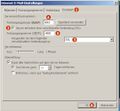 Outlook2010Settings.jpg 1.075 × 993; 279 KB
 Outlook2AnleitungHeader.jpg 1.437 × 425; 80 KB
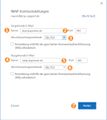 Outlook365mailsettings.jpg 1.072 × 1.200; 183 KB
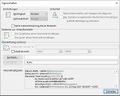 Outlook3AnleitungHeader.jpg 592 × 473; 81 KB
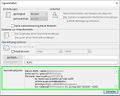 Outlook3AnleitungHeaderv2.jpg 592 × 473; 98 KB
 Outlook email eingeben.png 589 × 704; 45 KB
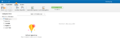 Outlook hinzufügen1.png 1.413 × 466; 61 KB
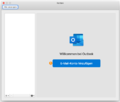 Outlook hinzufügen2.png 754 × 643; 53 KB
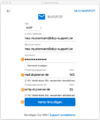 Outlook imap einrichten.png 590 × 707; 87 KB
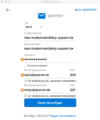 Outlook imap einrichten2.png 578 × 694; 75 KB
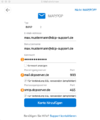 Outlook imap einrichten2 v2.png 578 × 694; 75 KB
 Outlookkontohinzufügen.jpg 1.840 × 1.386; 140 KB
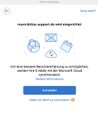 Outlookkontomitimap.jpg 560 × 688; 59 KB
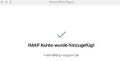 Outlookmacoseingerichtet.jpg 560 × 286; 17 KB
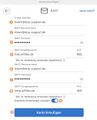 Outlookmacoskontoeinstellungen.jpg 560 × 692; 61 KB
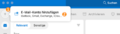 Outlookweiterekonten.png.png 1.116 × 314; 74 KB
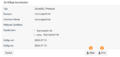 PEMundPFX.png 675 × 318; 38 KB
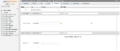 PW eines WP Users neusetzen.png 3.808 × 1.620; 715 KB
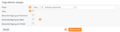 PagemonitorAnlegenBearbeiten.png 1.710 × 458; 71 KB
 PagemonitorUebersicht.png 2.144 × 276; 61 KB
 Parkdomain anzeigen.png 1.084 × 171; 25 KB
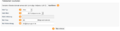 Parkdomain bearbeiten.png 1.078 × 274; 42 KB
 Passwoerter 2fa aktivieren.png 1.064 × 154; 19 KB
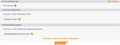 Passwoerter 2fa keys erzeugen.png 1.064 × 401; 45 KB
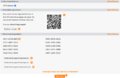 Passwoerter 2fa keys speichern.png 1.065 × 690; 119 KB
 Passwoerter 2fa login.png 1.064 × 168; 20 KB
 Passwort.png 331 × 63; 11 KB
 Passwort dcp user bearbeiten.png 370 × 32; 8 KB
 Passwort web user.png 504 × 34; 10 KB
 Passwort änderung dcp user bearbeiten.png 244 × 26; 9 KB
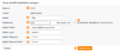 PhpBBInstallation.png 1.516 × 652; 108 KB
 PhpBBUebersicht.png 2.128 × 180; 42 KB
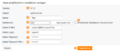 PhpMyAdminInstallation.png 1.516 × 652; 109 KB
 PhpMyAdminUebersicht.png 2.128 × 180; 43 KB
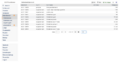 PhpMyAdmin Zugang via DCP.png 3.824 × 1.968; 767 KB
 Php domain.png 1.082 × 171; 23 KB
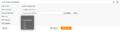 Php einstellen.png 2.091 × 570; 111 KB
 Php einstellen menue.png 198 × 138; 16 KB
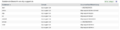 Php subdomain übersicht.png 1.080 × 274; 54 KB
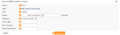 Phpbb installation anlegen.png 1.081 × 318; 44 KB
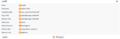 Phpbb installation anzeigen.png 1.072 × 344; 51 KB
 Phpbb installation übersicht.png 1.073 × 56; 15 KB
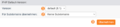 Phpdefault.png 1.202 × 272; 45 KB


